- +971529086662
- info@proservice.ae

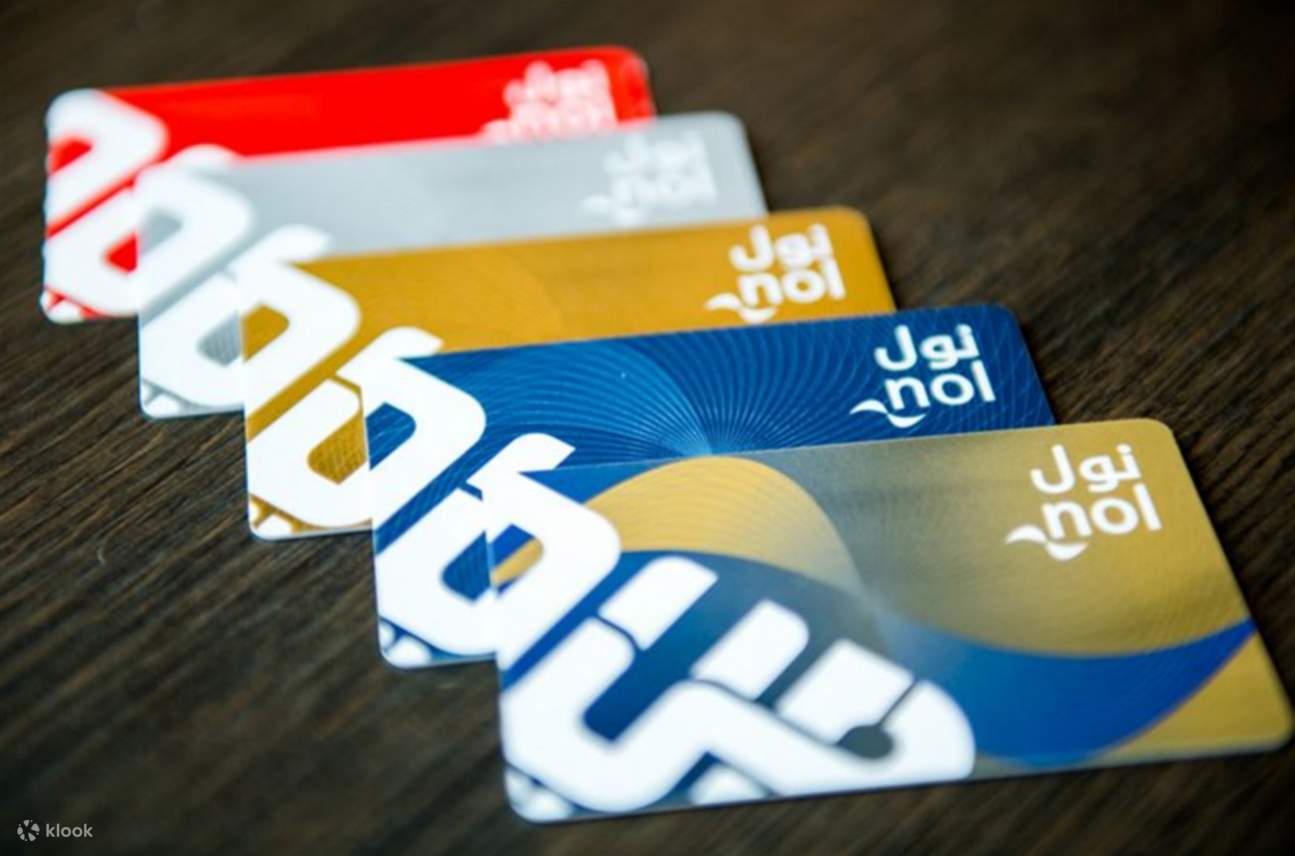
The Nol card is an essential tool for residents and visitors in Dubai, allowing convenient access to public transportation such as the metro, buses, water taxis, and trams. One common concern for Nol cardholders is keeping track of their card balance to avoid any interruptions during their journeys. In this article, we’ll walk you through various methods to check your Nol card balance efficiently. This guide will also include tips on how to top up your Nol card and ensure you always have sufficient funds for smooth travels.
What is a Nol Card?
A Nol card is a smart card introduced by the Roads and Transport Authority (RTA) of Dubai to enable cashless payment across various public transport modes. The card comes in different types, including:
- Red Ticket: A paper-based card for occasional travelers
- Silver Card: The most common Nol card, suitable for regular commuters
- Gold Card: Offers access to the Gold Class cabin in the metro and trams
- Blue Card: Personalized Nol card for frequent users, including features like balance protection
Why It’s Important to Check Your Nol Card Balance Regularly
Before starting your journey, it’s essential to ensure you have enough balance on your Nol card. Not having sufficient funds can cause delays or even lead to fines. Regular balance checks can help you stay on top of your transportation budget, allowing you to enjoy seamless travel across Dubai.
How to Check Nol Card Balance Online
One of the easiest and most convenient ways to check your Nol card balance is through the official RTA website. Follow these steps:
- Visit the RTA website: Go to the official Roads and Transport Authority website: www.rta.ae
- Navigate to Nol Services: Click on the “Public Transport” tab and select “Nol” from the dropdown menu. Then, choose “Nol Balance Check.”
- Enter Your Nol Card Details: Input your Nol card number into the required field. You can find the card number on the back of your Nol card.
- Check Your Balance: Once you’ve entered the details, click on “Submit.” Your Nol card balance will be displayed on the screen.
Using the RTA App to Check Nol Card Balance
Another way to check your Nol card balance is through the RTA Dubai mobile app, available on both Android and iOS devices. Here’s how you can do it:
- Download and Install the RTA App: Search for “RTA Dubai” in your mobile app store and download the application.
- Sign in or Register: If you’re a new user, you’ll need to create an account. Existing users can simply log in.
- Navigate to Nol Services: Once logged in, tap on the “Public Transport” option and select “Nol Card Services.”
- Enter Your Nol Card Number: Input your Nol card number to retrieve the current balance.
- Check Your Balance: The balance will be displayed along with other information like recent transactions.
Nol Card Balance Check via SMS
For those who prefer not to use the internet, the RTA also provides an SMS service for Nol card balance checks. Follow these instructions:
- Compose an SMS: Open the messaging app on your phone and type your Nol card number.
- Send the SMS: Send the message to 7275 (RTA).
- Receive Your Balance: In a few moments, you’ll receive a reply showing your current Nol card balance.
Check Nol Card Balance at Metro Stations and Nol Kiosks
You can also check your Nol card balance physically at any metro station or Nol kiosk around Dubai. Here’s how:
- Locate a Nol Card Reader: Find the card readers at metro stations or bus stops.
- Tap Your Card: Place your Nol card on the reader, and your balance will appear on the screen.
How to Top Up Your Nol Card
In addition to checking your Nol card balance, it’s vital to know how to top up your card when needed. Here are a few ways you can add balance:
- RTA Website: After checking your balance on the RTA website, you can proceed to top up your Nol card using a credit or debit card.
- RTA App: The RTA mobile app also allows users to top up their Nol cards by selecting “Nol Card Recharge.”
- Self-Service Machines: You can find Nol top-up machines at metro stations, bus stops, and Nol kiosks throughout Dubai.
- Authorized Retailers: Various retail outlets like supermarkets and convenience stores offer Nol card recharge services.
Common Issues with Nol Card Balance Checks
Here are a few issues you might encounter when checking your Nol card balance and how to resolve them:
- Card Not Working: Ensure your Nol card is not damaged. If it is, visit an RTA service center for assistance.
- Balance Not Updating: Sometimes, your recent trips may not immediately reflect on your balance. Wait for a few minutes and check again.
- Incorrect Card Number: Double-check the card number entered, especially when checking balance online or via SMS.
Conclusion
Checking your Nol card balance is an easy process that can be done online, through the RTA app, via SMS, or at various kiosks across the city. By staying on top of your balance, you’ll ensure a smooth, hassle-free travel experience in Dubai. Regular checks and timely top-ups will keep you prepared for any journey, whether it’s by bus, metro, tram, or water taxi.
Always keep your Nol card in good condition and monitor your balance regularly to avoid any inconvenience during your commute. Whether you’re a resident or a visitor in Dubai, your Nol card is your key to efficient and affordable public transportation.
Frequently Searched Keywords for Nol Card Balance Check
- Nol card balance check
- How to check Nol card balance
- Nol card balance check online
- Nol card top-up
- RTA Nol card balance
- Nol card recharge
- Nol card services
- Nol card balance SMS